Friday, August 8, 2014

[TL GoCloud][Mac OS] How to add account (Type: POP)

How to add email account on Mail App with type POP

Open 'Mail App'

Click 'Preferences...'

Click the icon '+'

Type your information. Then,
click 'Continue'

Click 'Show Certificate'

Mark 'Always trust "localhost" when connecting to "yourdomain.com"

Type your Mac's password and click 'Update Settings'

Account Type: POP
Incoming Server: pop.(yourdomain.com)
Username: Your email account
Password: Your email account's password
Then, click 'Continue'

Click 'Continue'
Outgoing Mail Server: smtp.(yourdomain.com)

Click 'Continue'

Account Summary

Your account has been added completely.


Technology Land Co., Ltd.

Mail Server For Business

Wednesday, August 6, 2014

[TL GoCloud][Outlook] How to add account (Type: POP)

Open Microsoft Outlook, click on menu 'File'

Info > Add Account


Choose 'Manual setup or additional types'

Choose POP or IMAP, Click 'Next'

Type user information
Incoming mail server: pop.(yourdomain.com)
Outgoing mail server: smtp.(yourdomain.com)
User Name: Your email address
Click 'More Settings...'

Outgoing Server: Use same settings as my incoming mail server

Incoming server port: 110
Outgoing server port: 587
Leave a copy of messages on the server
Remove from server after 14 days or more

Click 'Test account settings...'

Completed


Technology Land Co., Ltd.
High Quality business email server

[TL GoCloud][Thunderbird] How to add account (Type: IMAP)

How to add account on Mozilla Thunderbird. (Type: IMAP)
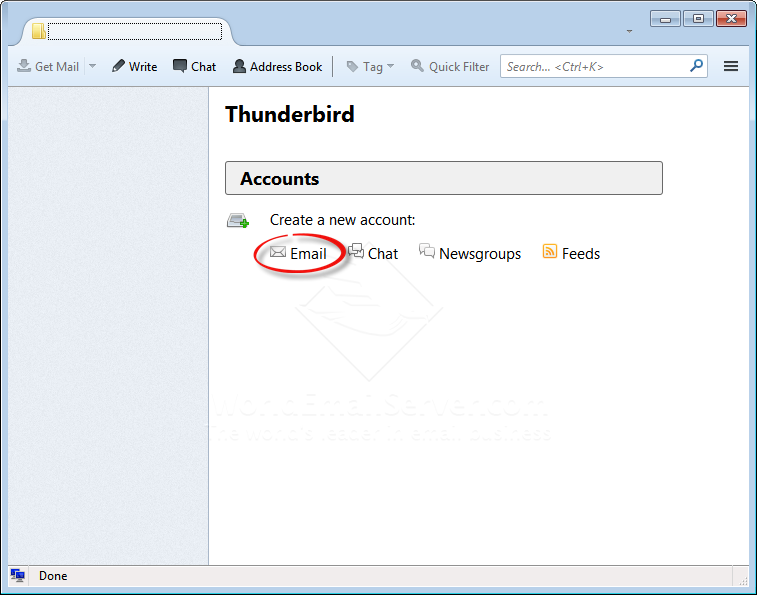

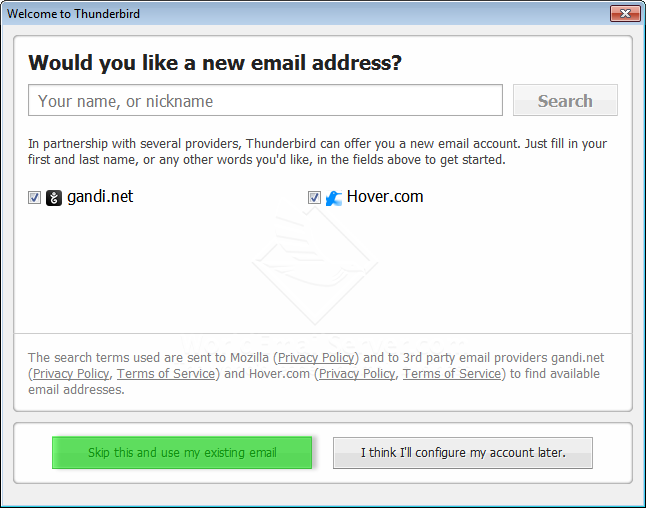
Click icon 'Email'

Click 'Skip this and use my exiting email'

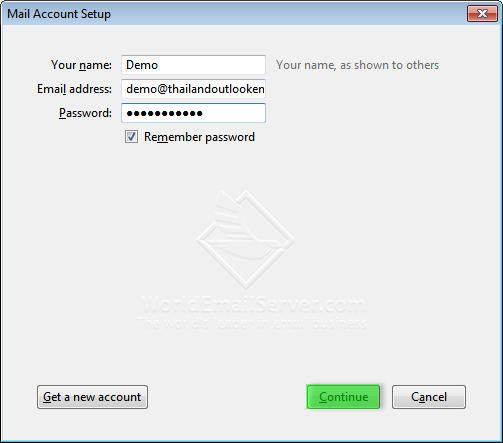
Type your name, email address and password.
Click 'Continue'

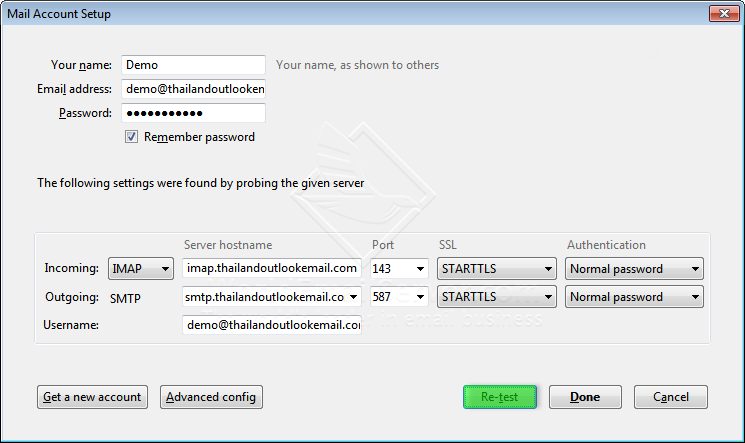
Choose account type: IMAP and then click 'Manual config'

Incoming: pop.(yourdomain.com) Port: 110
Outgoing: smtp.(yourdomain.com) Port: 587Click RE-TEST and Done


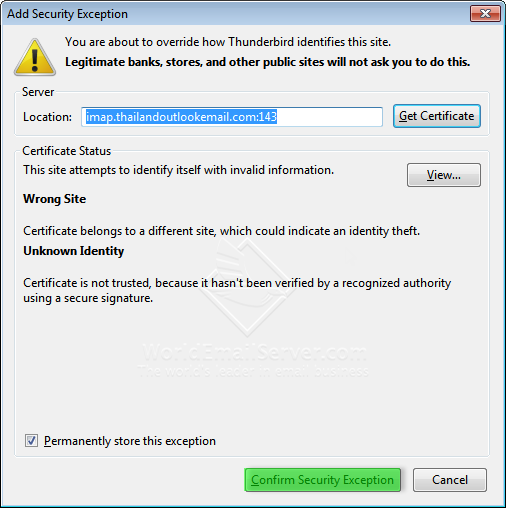
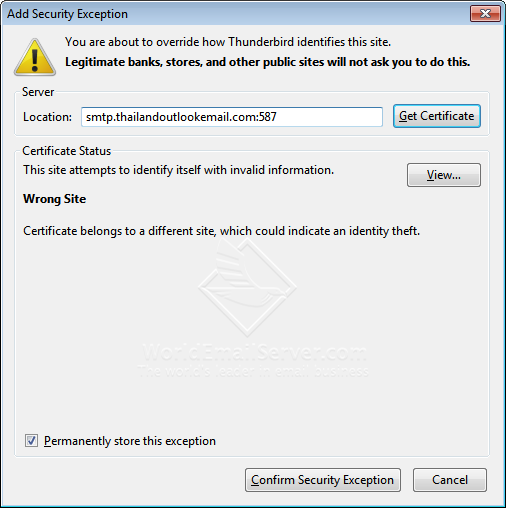
Confirm Security Exception for incoming server

When you test sending email the 'Send message error' box will show at the first time...
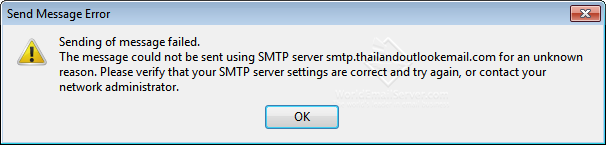
Click 'OK'

Confirm Security Exception for SMTP server


TECHNOLOGY LAND CO., LTD.
High Quality Email Hosting/Server

[TL GoCloud][Thunderbird] How to add account (Type: POP)

How to add account on Mozilla Thunderbird. (Type: POP)


Click icon 'Email'

Click 'Skip this and use my exiting email'

Type your name, email address and password.
Click 'Continue'

Choose account type: POP
Click 'Manual config'

1. Incoming: pop.(yourdomain.com) Port: 110
Outgoing: smtp.(yourdomain.com) Port: 587
2. RE-TEST
3. Done

Confirm Security Exception for incoming server

1. Click 'Get Mail'
2. Click 'Write'

Send an email

Click 'OK'

Confirm Security Exception for SMTP server

High Quality Email Hosting/Server

Thursday, April 17, 2014

[MD OX] How to add account and setup email on Macbook

Click "Mail" icon

Mail --> Preferences...

On menu: Accounts, click "+" sign for adding account

Type your name, email address and password, click "Continue"

Account Type: IMAP
Description: Whatever you prefer
Incoming Mail Server: ox.maildee.com
User Name: your email account
Password: your email account password
Then, click 'Continue'

Tick SSL, click "Continue"

Outgoing Mail Server: ox.maildee.com
Tick "Use Authentication"
User Name: your email account
Password: your email account password
Then, click 'Continue'

Account Summary is shown, click "Continue"

The new account is added and show in your inbox

Go to Mail --> Preferences...

Set your IMAP Path Prefix: INBOX
Port: 995 Use SSL


[MD OX] How to add email account on Windows Phone

Tap "Settings"

Tap "email+accounts"

Tap "add an account"

Tap "advanced setup"


Type your email address and password
Then, tab 'next'

Tap "Internet email"

Type your Information
Incoming email server: ox.maildee.com
Account type: IMAP4

User name: your email account
Outgoing (SMTP) email server: ox.maildee.com

Tap "sign in"

Your email account is syncing to windows phone

Go to inbox and tap "Settings"

Tap your email account

Your email account inbox is linked. 

Your inbox