Showing posts with label add email thunderbird. Show all posts

Wednesday, August 6, 2014

[TL GoCloud][Thunderbird] How to add account (Type: IMAP)

How to add account on Mozilla Thunderbird. (Type: IMAP)
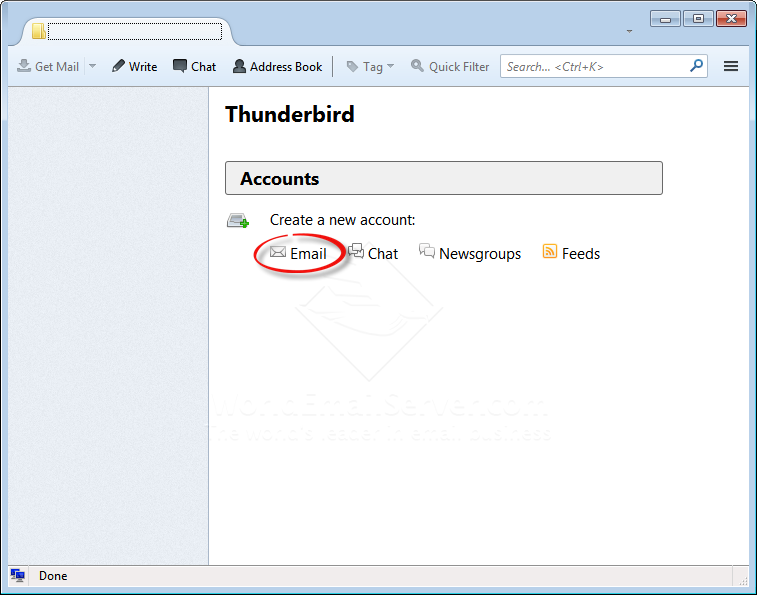

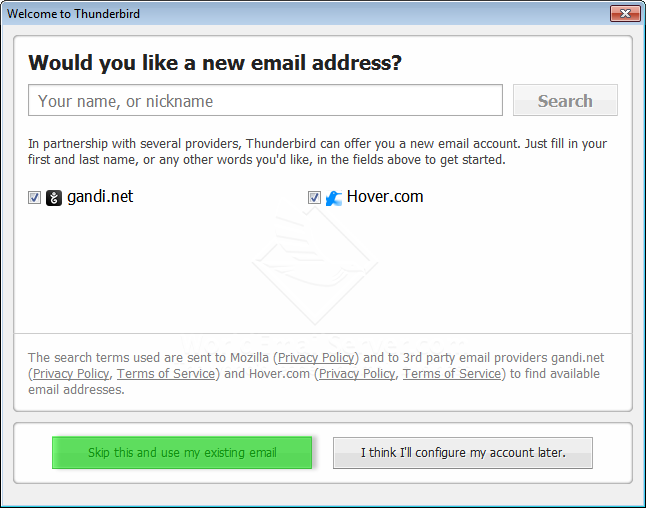
Click icon 'Email'

Click 'Skip this and use my exiting email'

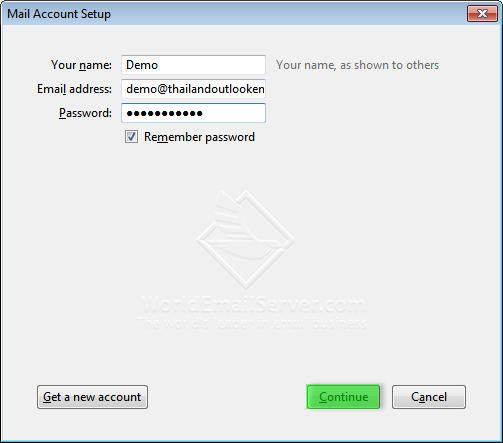
Type your name, email address and password.
Click 'Continue'

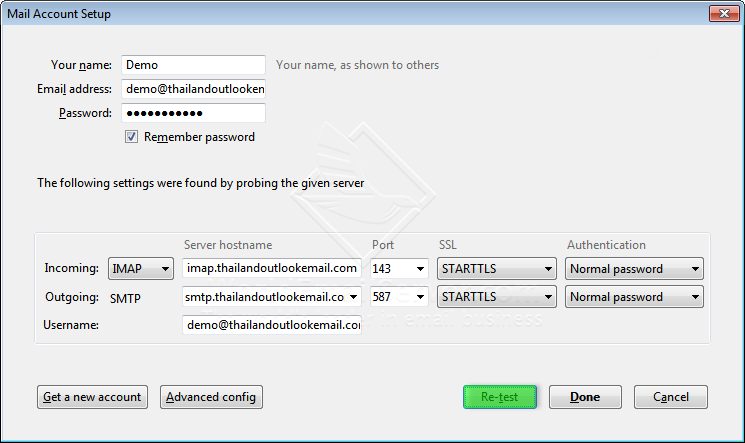
Choose account type: IMAP and then click 'Manual config'

Incoming: pop.(yourdomain.com) Port: 110
Outgoing: smtp.(yourdomain.com) Port: 587Click RE-TEST and Done


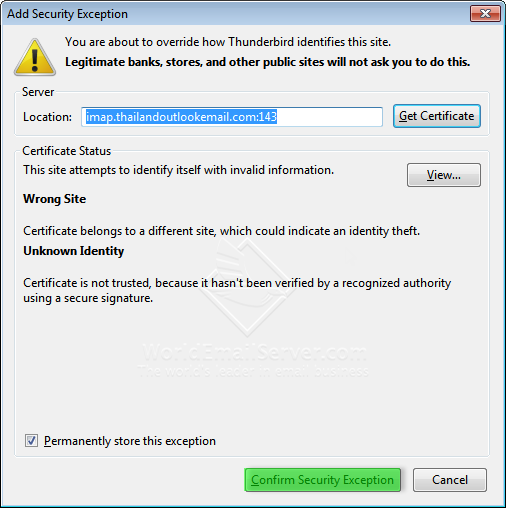
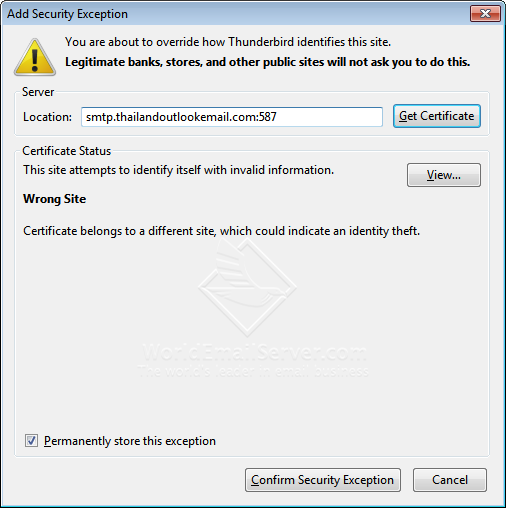
Confirm Security Exception for incoming server

When you test sending email the 'Send message error' box will show at the first time...
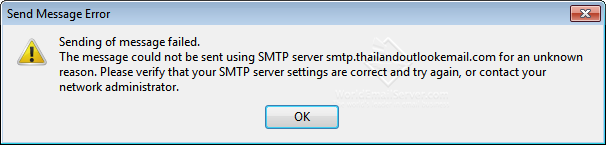
Click 'OK'

Confirm Security Exception for SMTP server


TECHNOLOGY LAND CO., LTD.
High Quality Email Hosting/Server

[TL GoCloud][Thunderbird] How to add account (Type: POP)

How to add account on Mozilla Thunderbird. (Type: POP)


Click icon 'Email'

Click 'Skip this and use my exiting email'

Type your name, email address and password.
Click 'Continue'

Choose account type: POP
Click 'Manual config'

1. Incoming: pop.(yourdomain.com) Port: 110
Outgoing: smtp.(yourdomain.com) Port: 587
2. RE-TEST
3. Done

Confirm Security Exception for incoming server

1. Click 'Get Mail'
2. Click 'Write'

Send an email

Click 'OK'

Confirm Security Exception for SMTP server

High Quality Email Hosting/Server