Showing posts with label change password. Show all posts

Thursday, April 17, 2014

[MD] How to change email password on webmail

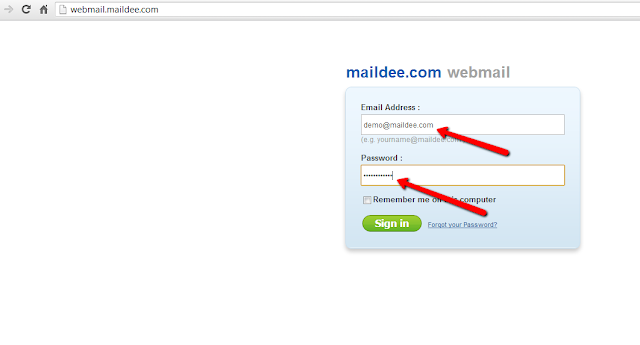
Go to your business website, type your email account and password, click "Sign in".

Click "Settings"

Click "Change Password"

Type your current password and new password, click "Reset Password"

Your new password was re-set.

Get MailDee.com, Business email's professional email service with email server/hosting, company email address

[MD OX] How to change your password on webmail

Visit your webmail: http://mail.[yourcompany.com] (Your domain name) and Log in to your account address.

Go to Settings --> User

User--> Password

Type your old password, new password and confirm new password, and then
click "Save"

Your new password has been changed, click "OK"


Tuesday, December 17, 2013

[MD] How to reset your password in my control panel.

Log in to your control panel,
click "Manage Users/Accounts"

Choose the email which you want to reset the password.

Click "Reset Password"

Click "Reset Password" button.

The password has been modified successfully,
you can now log in with your new password.